Note - VPN is necessary for off campus access.
Xpra is now available on the cluster as an alternative to X2go. Unlike X2go, this solution only needs a web browser with similar performance. Here are the steps -
- Use an ssh client to connect to cluster.mathstat.dal.ca and start an Xpra session. (This will run in the background. Unless server reboots or Xpra gets terminated, you don't need to do this again)
xpra start --audio=no --bind=noabstract
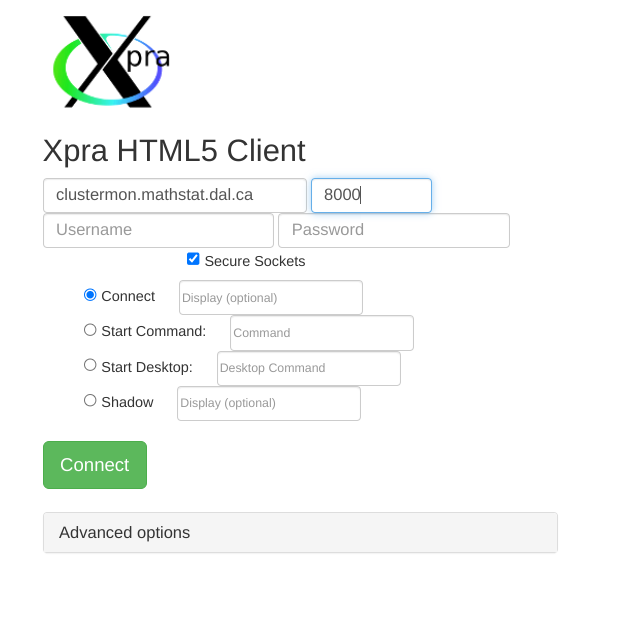
- Visit this Link and fill the information like the screenshot below. Please use your cluster username and password.
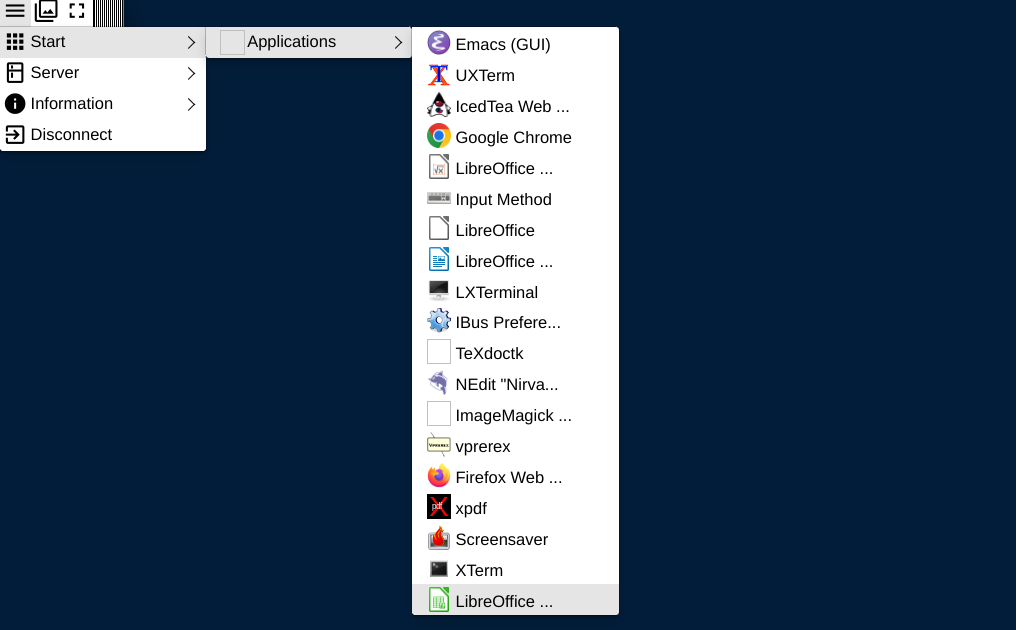
- After login, please start a terminal from the Start menu like the screenshot below.
Notes
- If Start menu is empty, please try the following -
update-menus
- If fonts are fuzzy, please try the following -
- Open the newer 17.x series client from this link
- Choose Advanced Options → Encoding → JPEG/RAW RGB (anything other than auto)
- Offscreen decoding is available only with Chrome.
- This client asks for password twice.
- To see existing sessions -
xpra list
- To view session information -
xpra info
- If the Start menu is empty, please hover the mouse over the Start menu instead of clicking it.
- If the Xpra client is asking to specify display number - This means that there are multiple Xpra sessions running. Please use an ssh client to connect to cluster.mathstat.dal.ca and type the following to kill all Xpra sessions, then proceed with starting a new session as mentioned above -
pkill xpra